

An AI-Native Career Site: Concept to Demo
B2B & B2C SaaS • Conversational AI & Search • Oracle Candidate Experience
Job seekers don’t follow a script. The AI shouldn’t either.
Try the clickable prototype (opens in a new tab)Rebuilt from my Figma designs with Claude Code.
Role
Sole designer and researcher, owning everything from discovery and IA through wireframes and prototypes to developer handoff, in close partnership with product management, engineering, and QA.
Challenge
Candidates had to translate what they wanted into the keywords and filters the system understood, then keep adjusting them as they worked through the results. A conversational site could let them simply ask, but the obvious answer, a guided path of fixed questions, was just as rigid. The AI had to adapt to each candidate’s questions, in whatever order and wording they used. It sent job queries to semantic search and other questions, such as benefits, to retrieval-augmented generation (RAG), and it showed where answers came from to earn trust. All of this had to work on a white-labeled platform, using only Oracle’s AI technology, for customers who each configured their own prompts, tiles, and branding.
My insights
- Candidates sometimes wanted to know about benefits and company culture, and that information was scattered across other pages or other sites.
- Application status and interview scheduling already existed in Candidate Self Service, but candidates had to sign in, then click around to find them.
- An AI answer is only useful if candidates trust it, so answers needed to show where they came from. Opening sources in a new tab felt disconnected, and showing them in a frame had accessibility issues.
- The Job Details page already had heavy investment, so the AI version had to work with it, not replace it.
What I Built
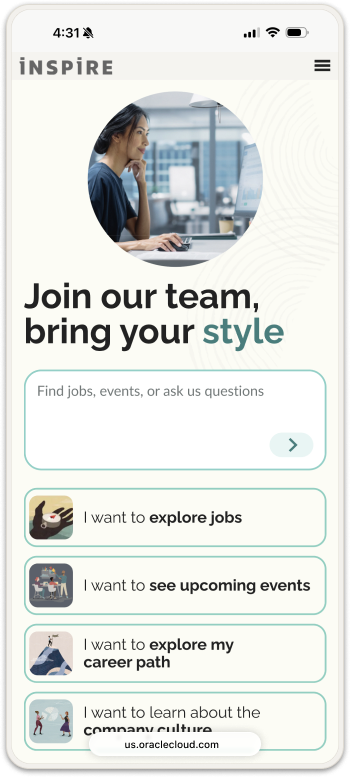
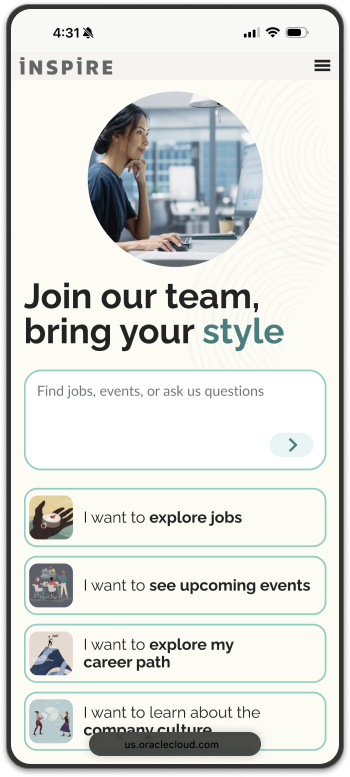
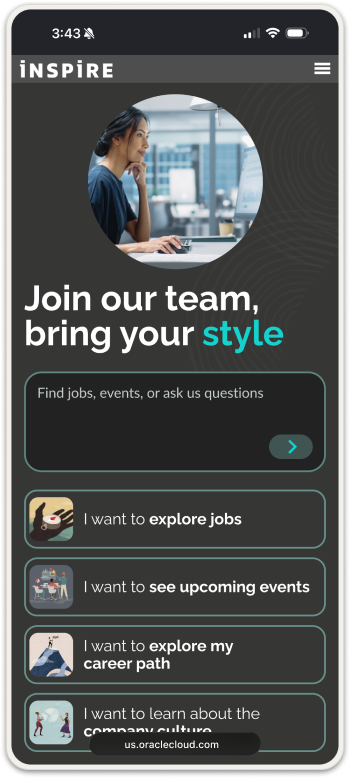
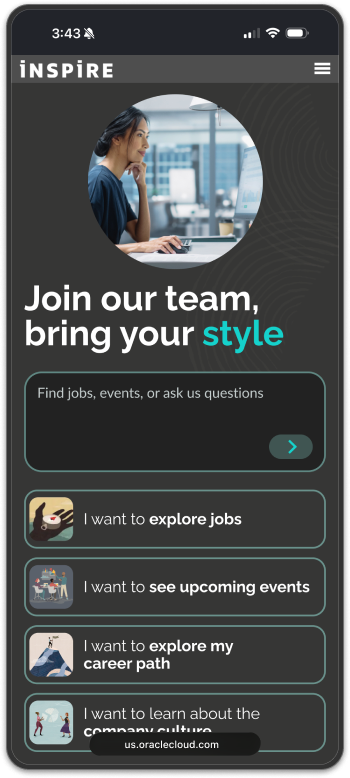
- A prompt bar where candidates could type anything, in their own words. Some example use cases I designed for: ask for roles by geographic area, skills, or expertise.
- Inspiration prompts below the prompt bar: suggestions we thought candidates might want to ask, which ran through the AI like a typed prompt. Administrators could create as many as they wanted and tailor them to their company, and 4 displayed at a time on the splash page and the no-results page.
- Search by asking: a candidate types “show me jobs in NY,” and the results narrow to New York in a normal results page. Gen AI changed how candidates asked, not what they got.
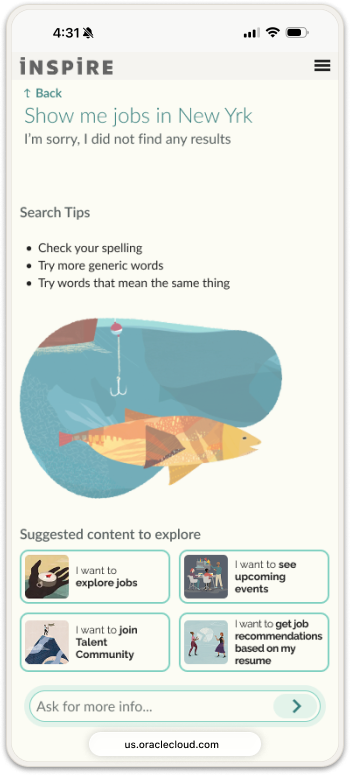
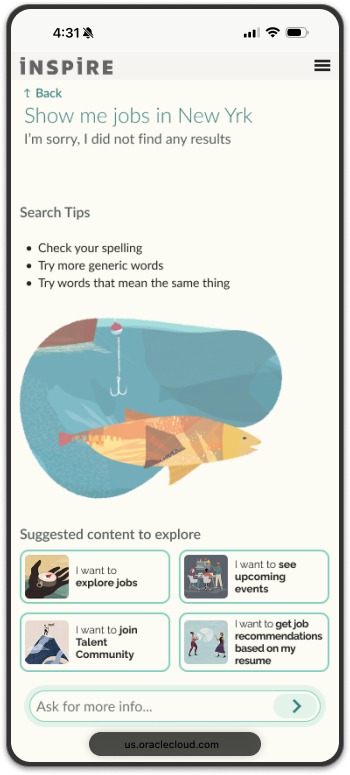
- A no-results page that tells candidates what happened and suggests next steps when the AI can’t understand a prompt or finds no results.
- Answers to benefits and culture questions, drawn from the customer’s career site and the wider web, with links to the sources.
- Matched roles from an uploaded resume, with no query to write, reusing the matching behind Recommended Jobs and AI Job Fit.
- Signed-in actions: asking where an application stands, continuing a draft application, and scheduling or rescheduling an interview.
- Discovery tiles that administrators could set up with information useful to candidates, such as medical benefits, 401(k), flexible work locations, and paid time off, with a “display on Discover page” setting and a cap on active tiles, laid out 3 per row from 370 to 500 px and 2 per row below 370.
- Support for both full page and overlay for the Job Details page, so the customer could choose, with full page built properly: one top nav, not an overlay added on top.
- On Job Details, the conversation continued at the bottom of the page, so candidates could ask about a posting without leaving it.
- The Gen AI theme in the CE design system: a larger, tokenized theme with three accents in light and dark mode, light and dark mappings for AI-specific elements such as the prompt bar, and a header type scale from lg to xs.
- A clickable prototype (opens in a new tab) of three storylines for the CloudWorld demo: a personalized returning candidate, an immersive job search with follow-up questions like “What will my commute be?”, and an integrated look at culture, benefits, and events.
Outcome
The Gen AI career site went from concept to a CloudWorld demo in September 2024. Resume-based recommendations shipped, built on the same matching as Recommended Jobs and AI Job Fit, not rebuilt. A Job Details summary candidates could ask for also shipped in the Minimal theme, as a feature customers had to turn on. The rest was in planning or beta when I left. Because the Gen AI theme extended CE’s existing design system, the new experience inherited light and dark mode and customer theming without starting over. Explore the clickable prototype (opens in a new tab).
Additional Insights
- The obvious fix for rigid search was a scripted, guided chatbot, and engineering preferred that, since a fixed path is easier to build and test against. PM and I wanted candidates to be able to ask in their own words. Giving the AI kinds of questions to ask, not a fixed script, balanced the two.
- My early designs assumed a model with robust, conversational answers, and the scope included voice input and AI interview coaching, where candidates practiced answers out loud and got feedback. When the project had to move to Oracle’s own AI technology, responses were more limited, so we cut those features and focused on the use cases it could handle well.
- Reusing existing features, like matching and Candidate Self Service actions, got the most valuable part into the product first.
- For the Gen AI theme, I prototyped responsive type, images, and layout in custom CSS on a dev site, using AI for the calculations and switching tools when the first one’s output didn’t work.
- Gen AI features were delivered into the Minimal theme, including a Job Details copilot: a half-screen fly-out with Summarize and Discuss job. In the full Gen AI concept, that conversation moved onto the page itself, under the details.
- I also designed and iterated on a history page that grouped past conversations into threads, but it was descoped when engineering couldn’t support saving conversation history at that time.
Asking, instead of filtering
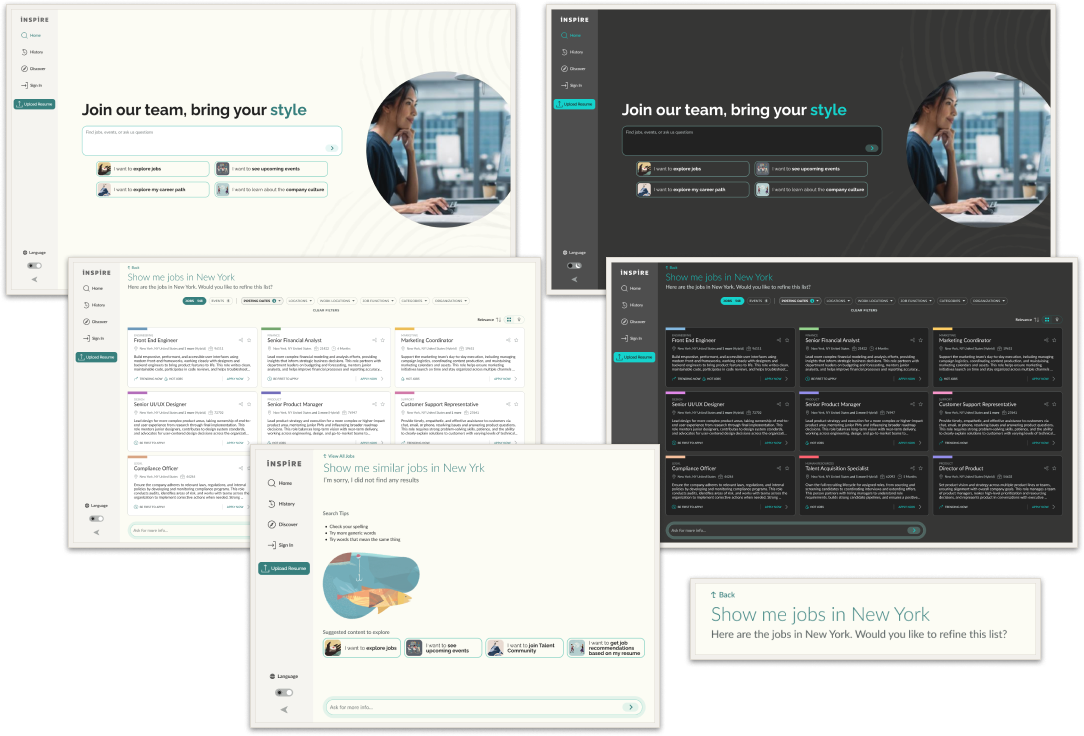
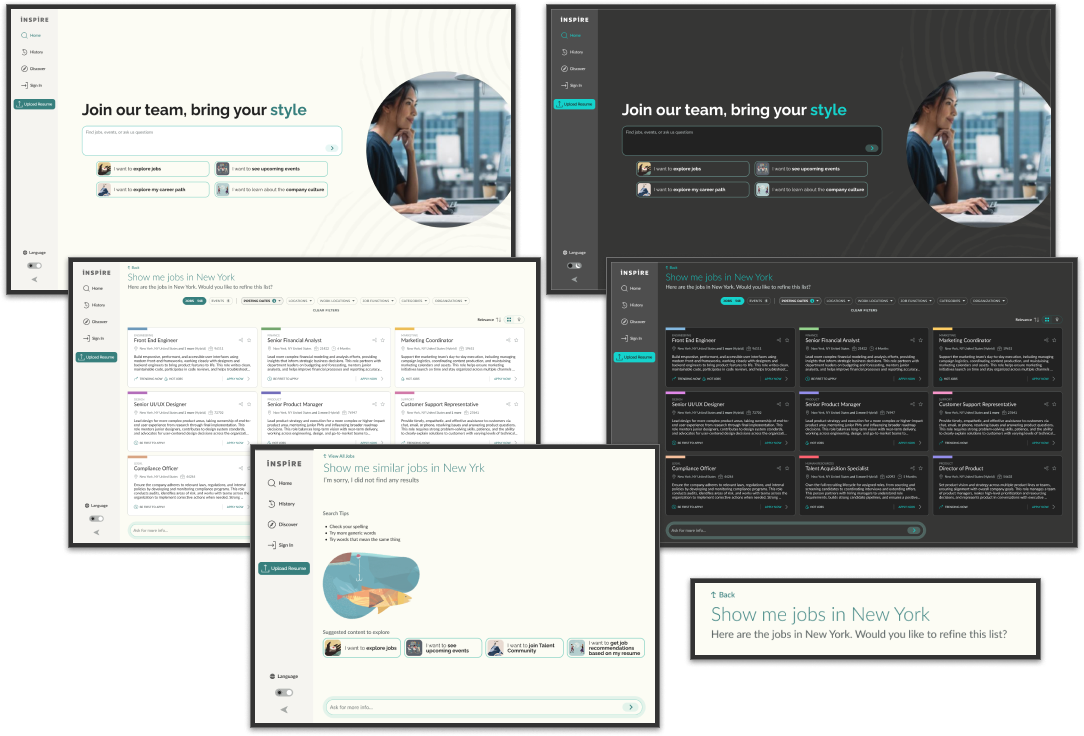
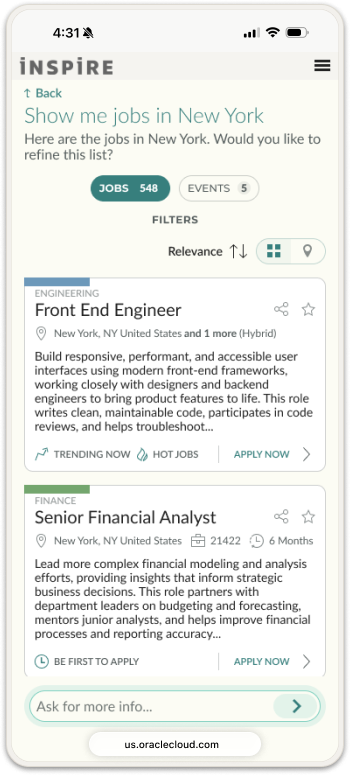
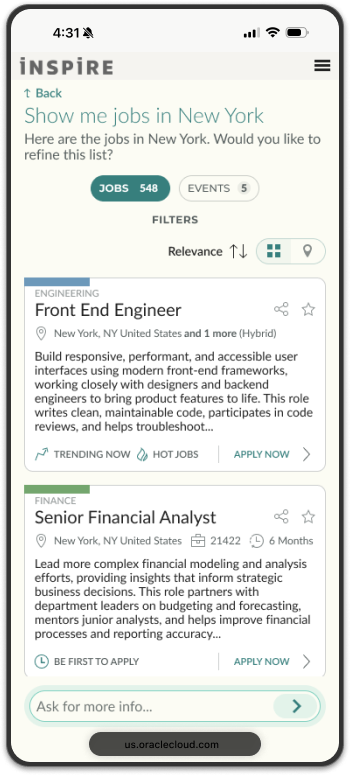
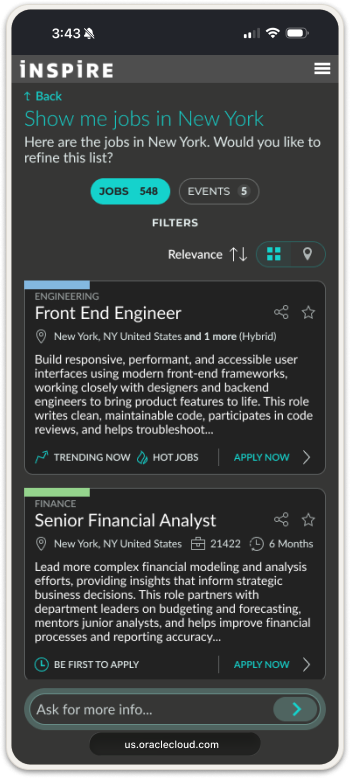
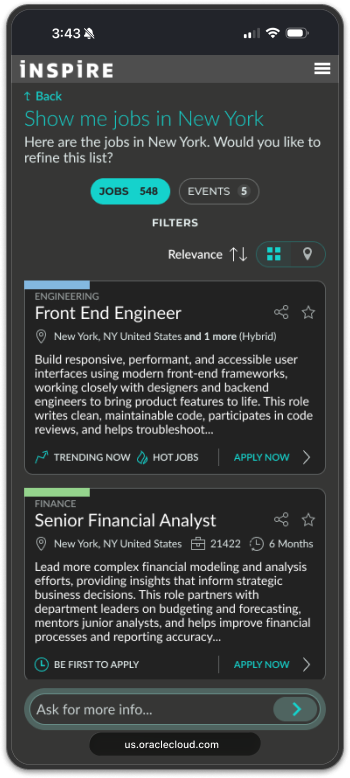
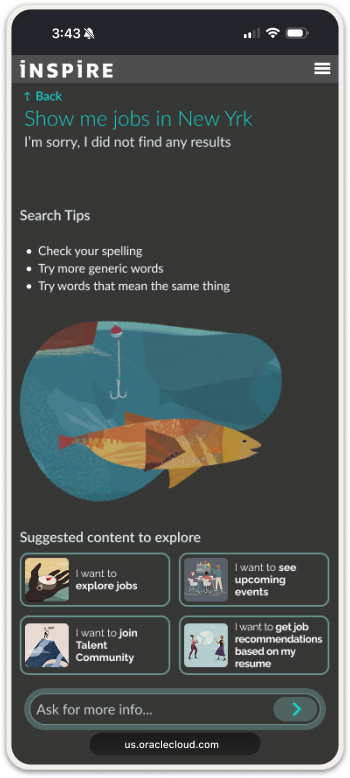
A candidate could type something like “show me jobs in NY” and the results narrow to jobs specifically in New York. No keyword guessing, no learning the taxonomy first.
When candidates search for jobs, the answers stay within a normal results page. The AI changes how they ask, not what they get.
If the AI couldn’t understand a prompt or didn’t find any results, I designed a no-results page that tells candidates what happened and offers suggestions for next moves.
Questions a job posting doesn’t answer
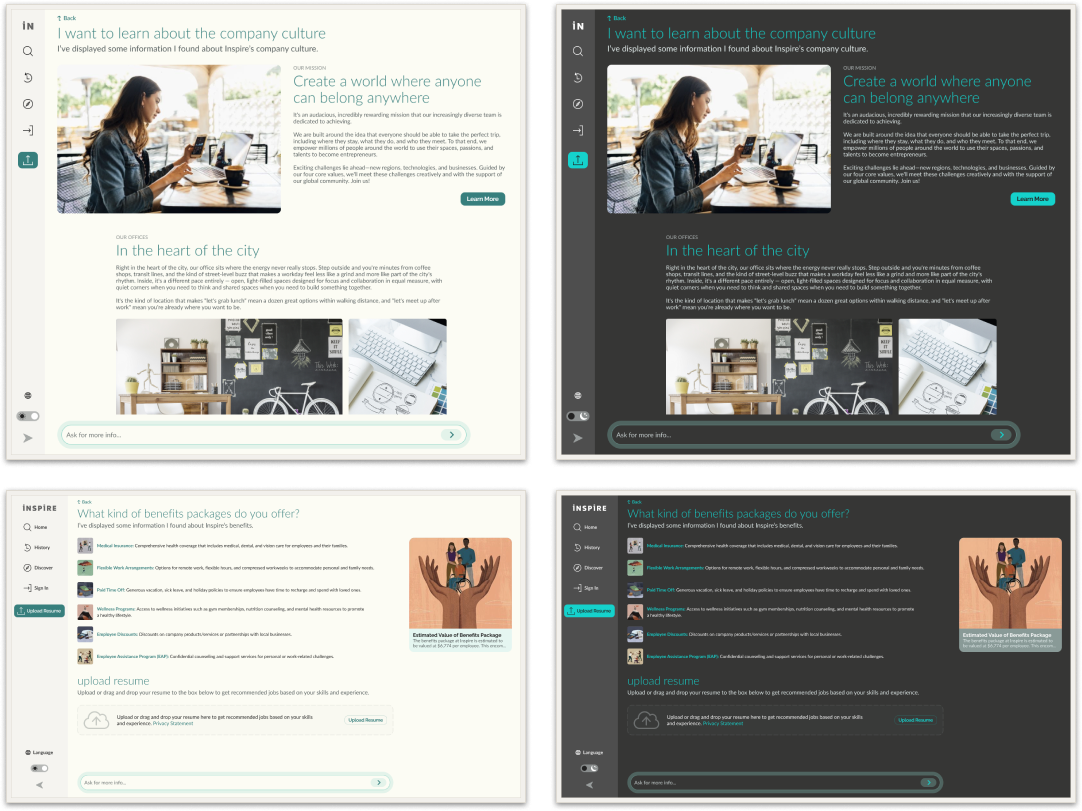
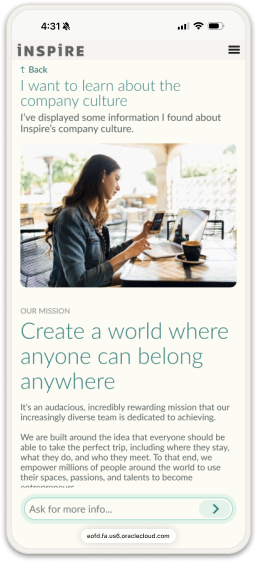
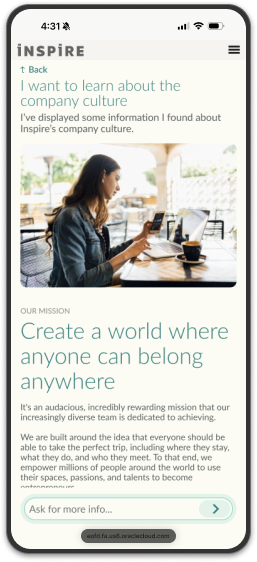
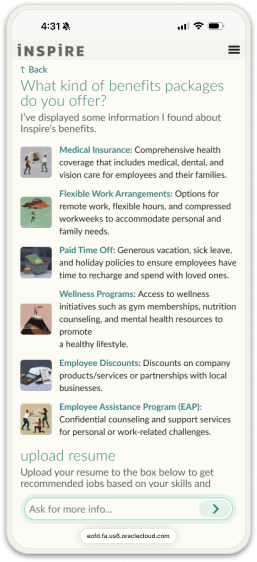
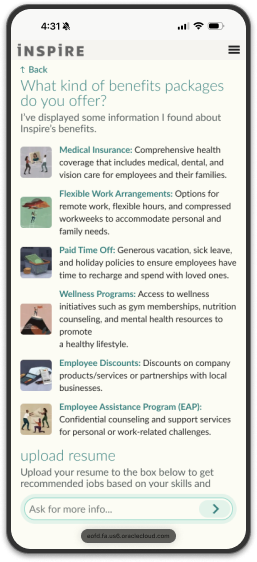
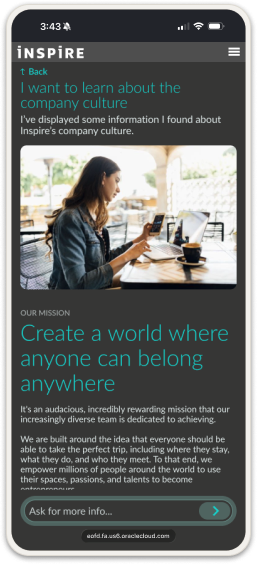
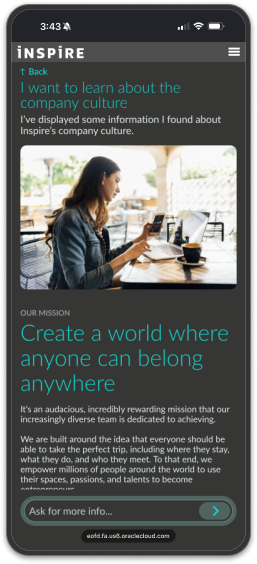
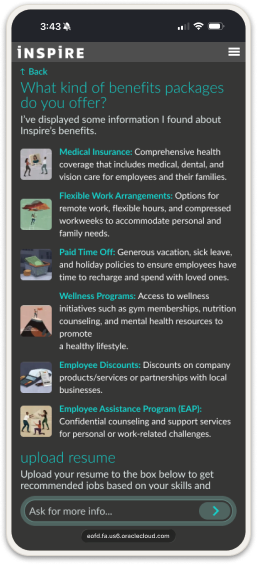
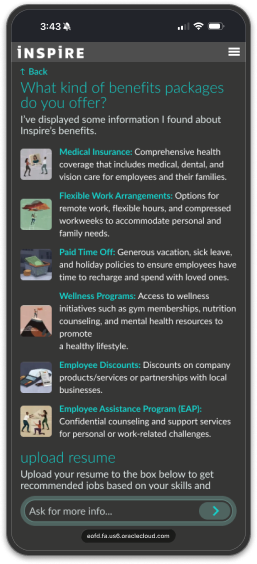
Benefits and company culture were two things candidates sometimes looked into, so they were two use cases I specifically designed for. Answering them in place keeps the candidate on the career site.
Gen AI draws on the customer’s career site and the wider web, so each company’s version speaks in its own terms, and candidates can ask anything they want.
Matched roles based on uploaded resume
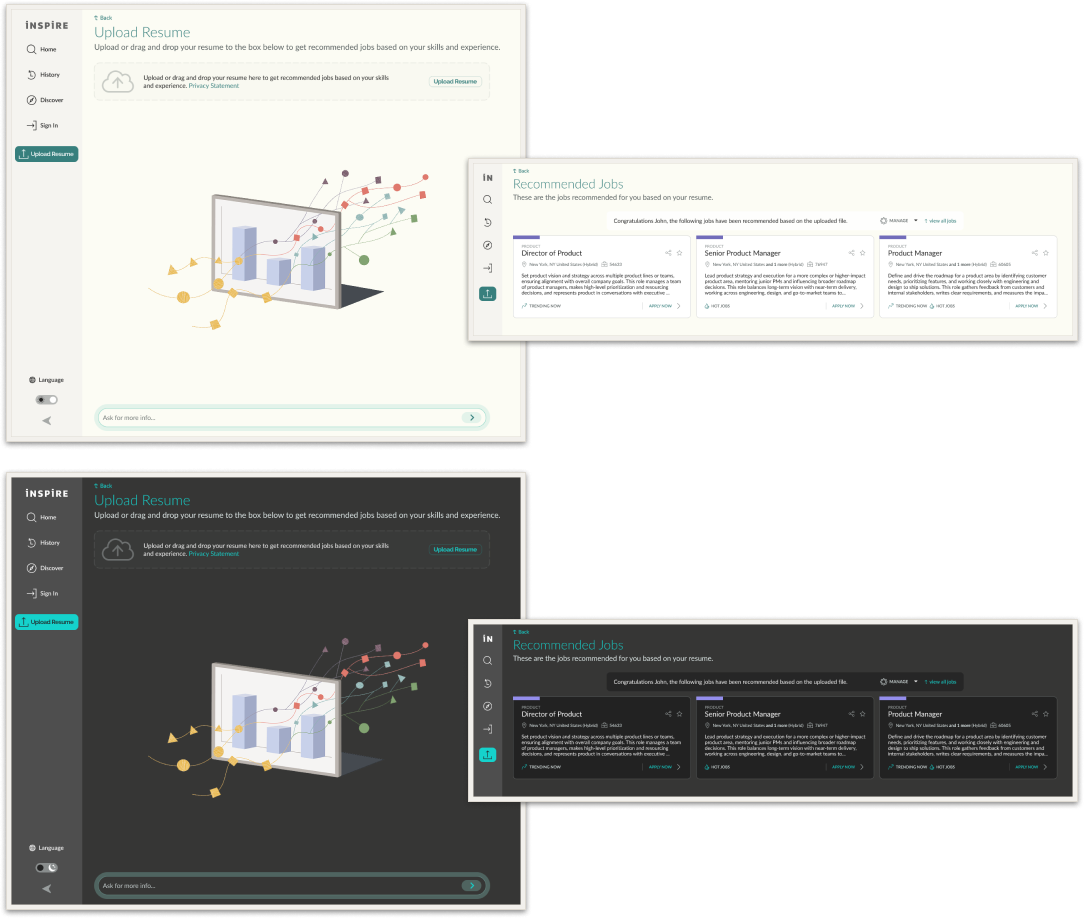
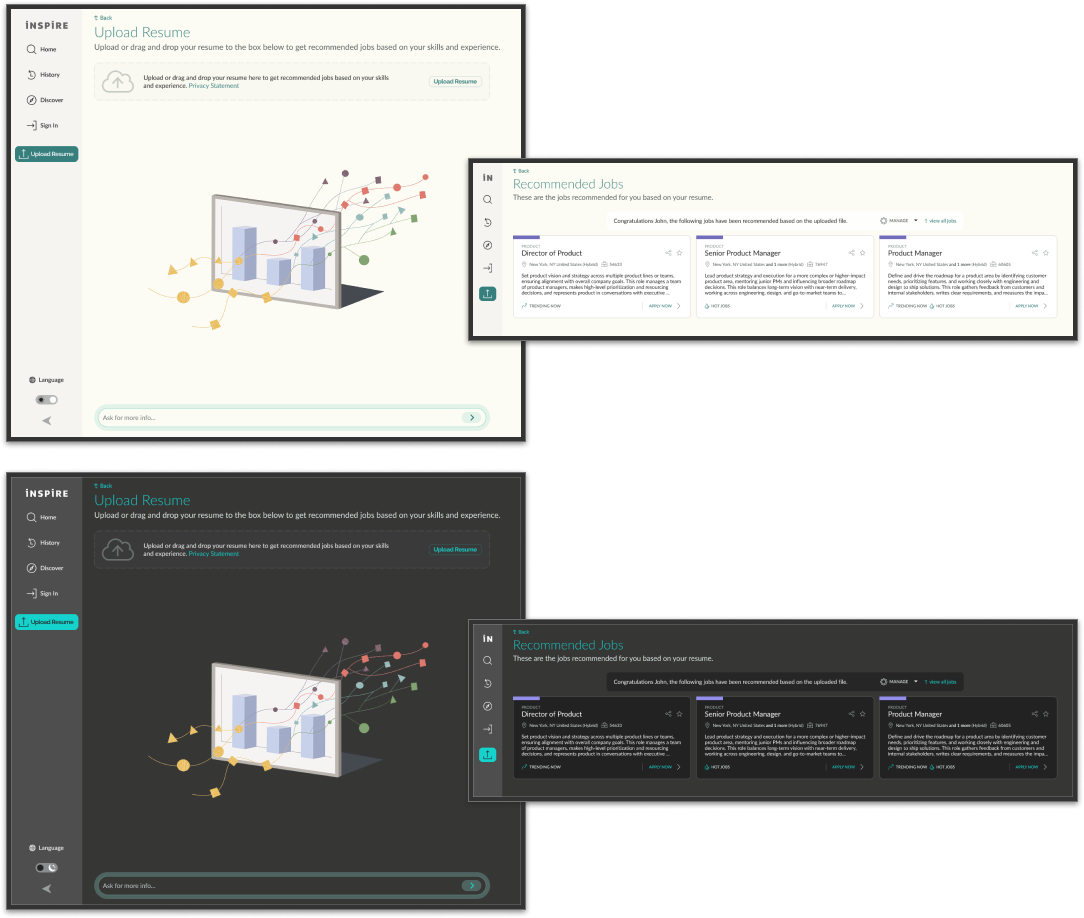
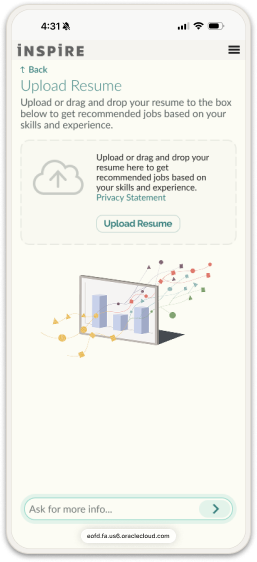
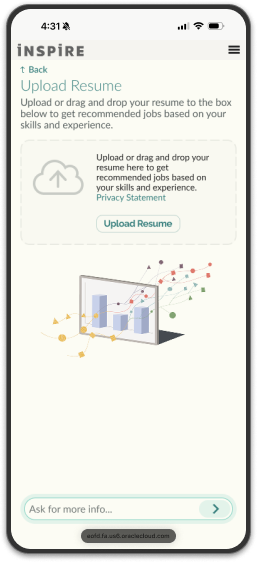
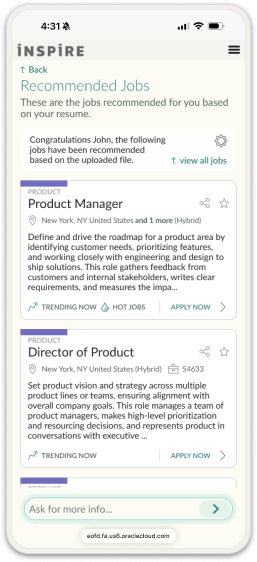
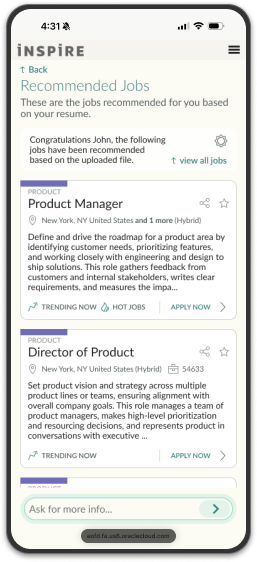
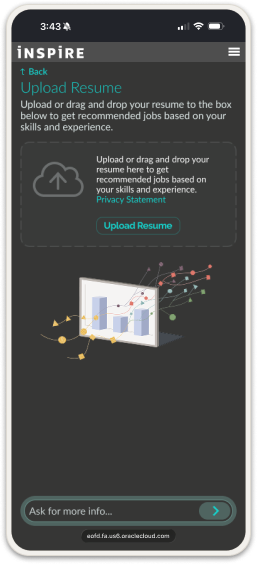
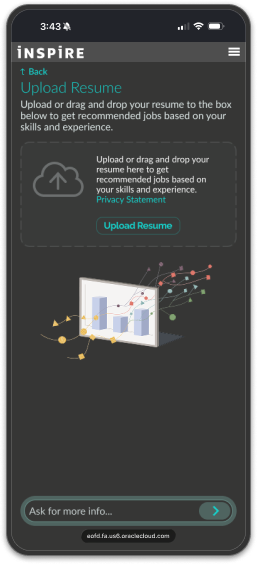
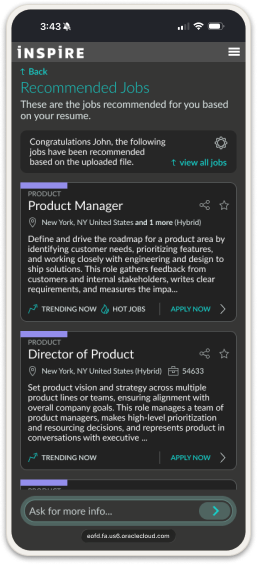
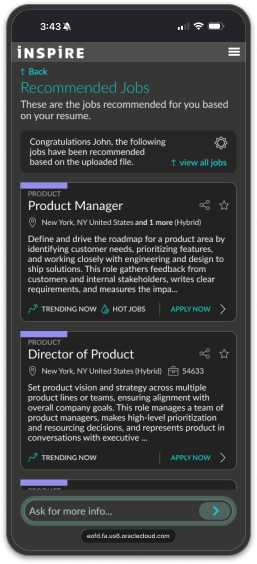
A candidate uploads a resume and sees roles matched to the skills and experience already in their resume. No query to write at all.
This runs on the same matching that powers Recommended Jobs and AI Job Fit; we reused the features rather than rebuilding them.
Of everything in this section, this is the part that shipped.
Returning candidates: asking about an application
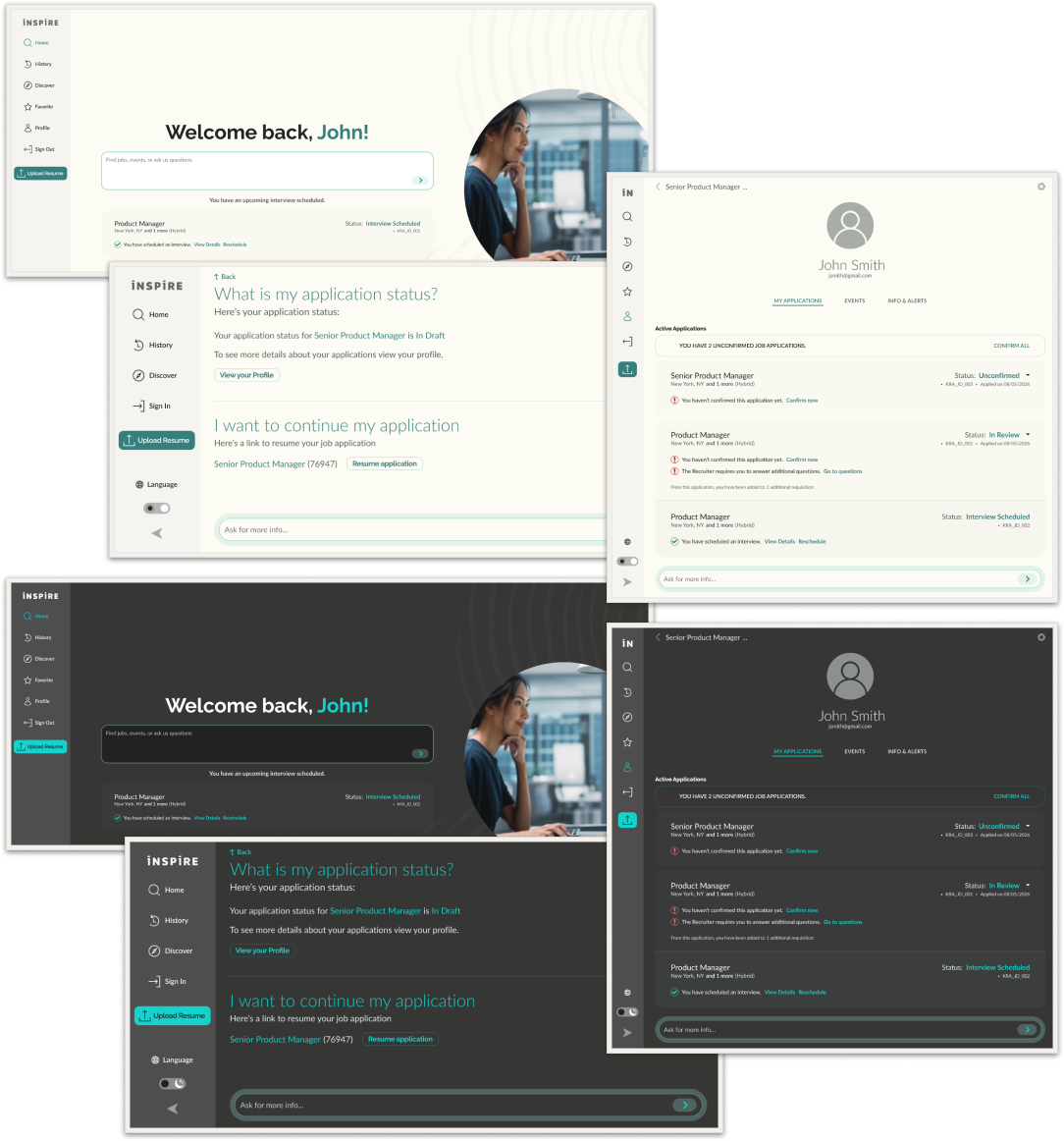
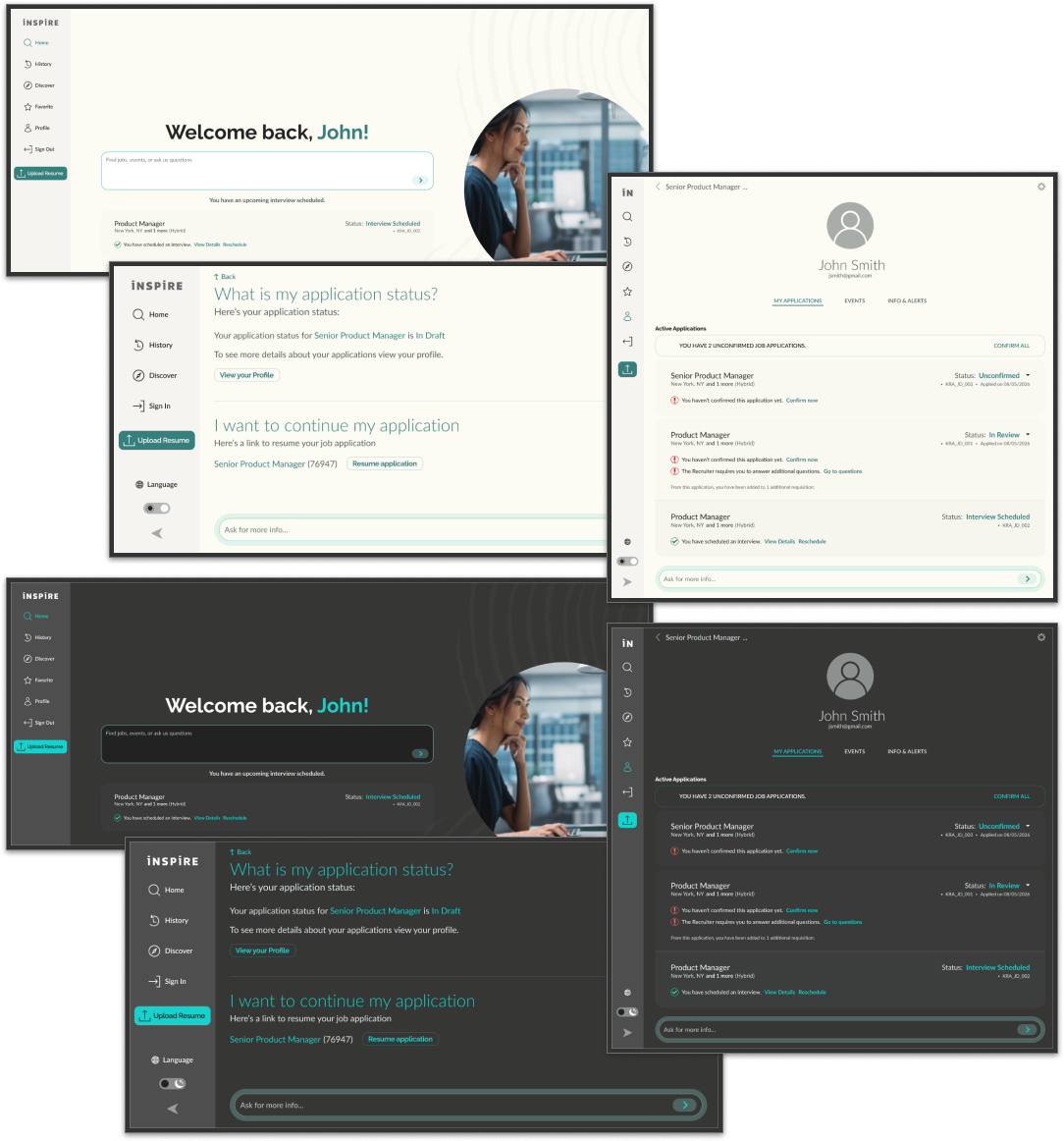
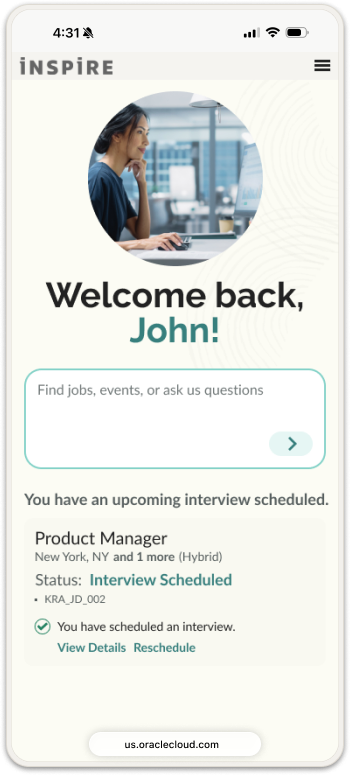
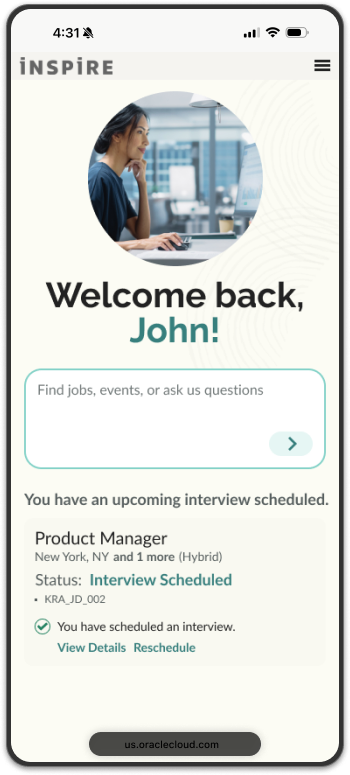
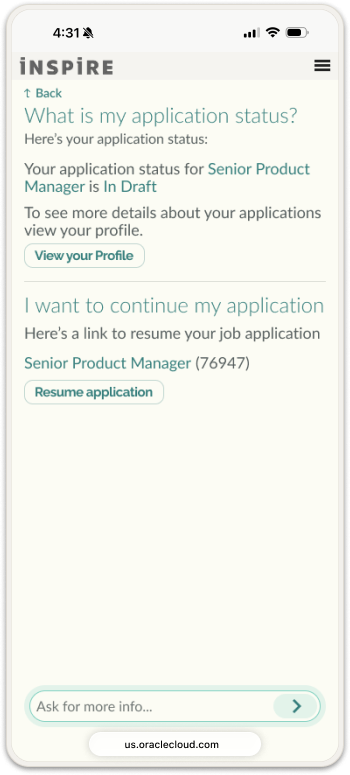
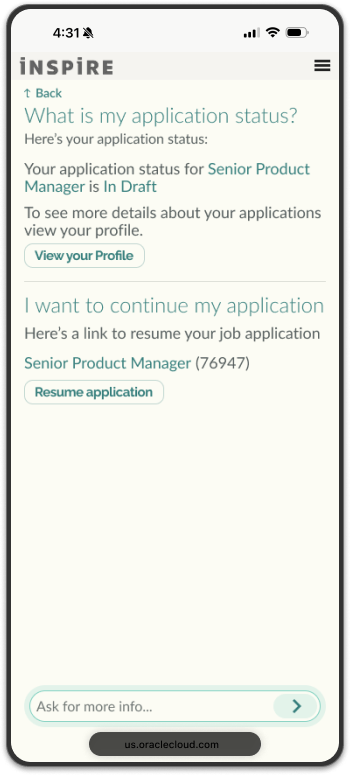
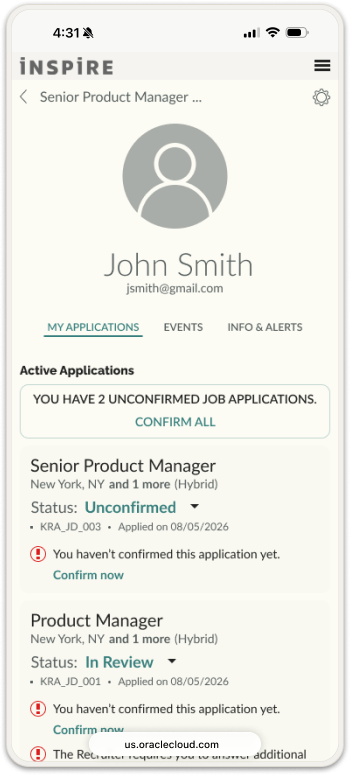
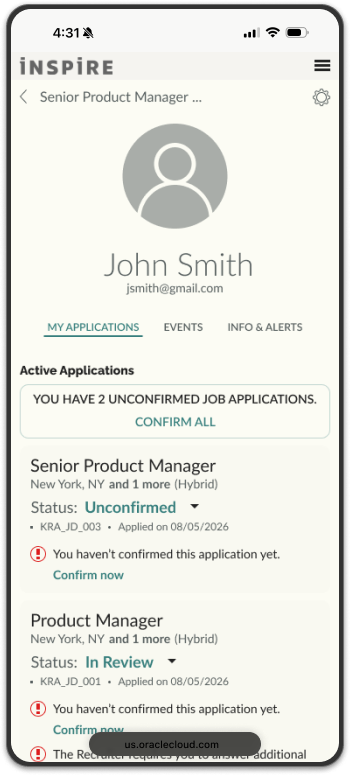
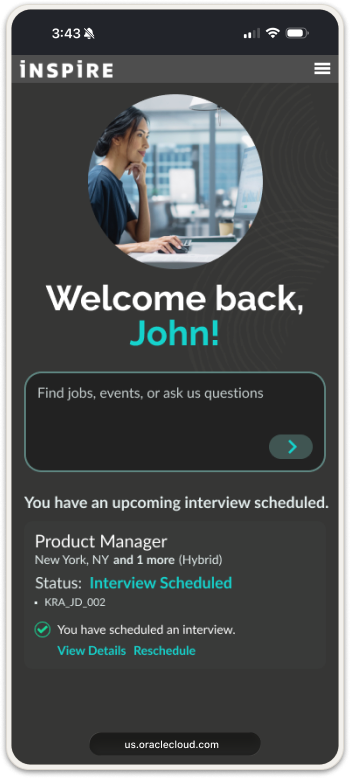
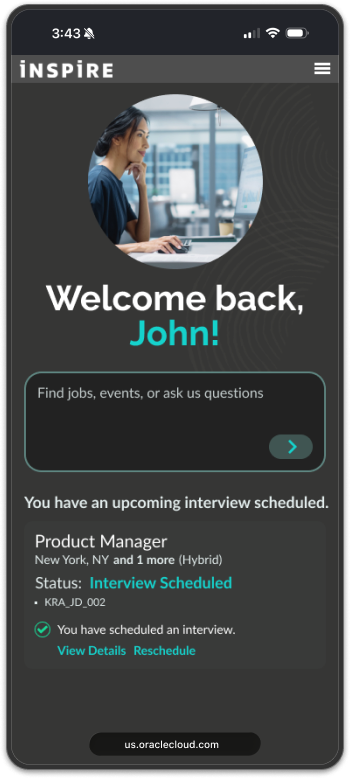
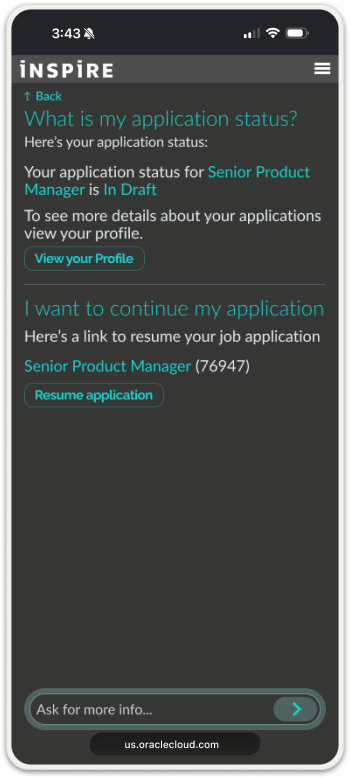
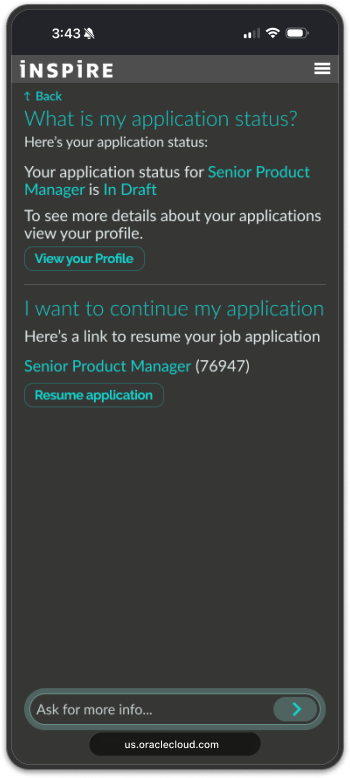
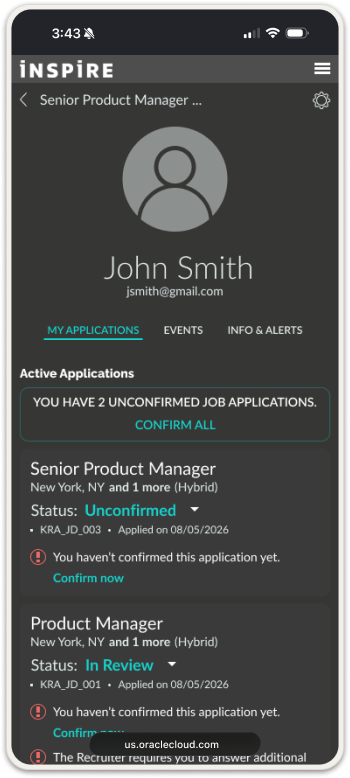
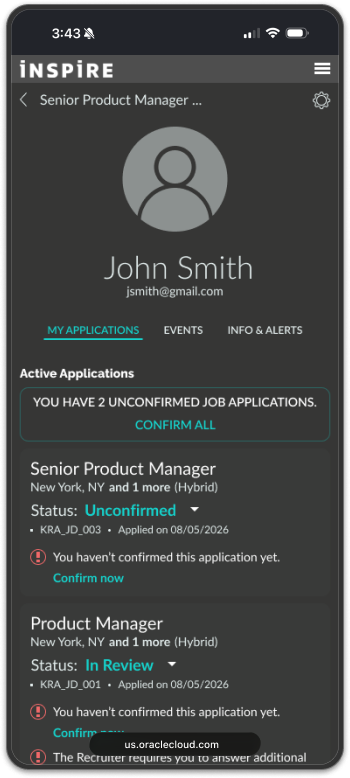
Once a candidate signs in, Gen AI can answer questions regarding their applications: where a submission stands without hunting through a status page.
Candidates can also use the AI to do things like continue a draft application, or schedule or reschedule an interview.
Status and scheduling already existed in Candidate Self Service, but candidates had to sign in, then click around to find them. The Gen AI version simplified that and was in planning and beta when I left.
Gen AI project journey
| When | Phase | Details |
|---|---|---|
| Nov 2023 | Exploration | Researched OpenAI assistants, conversational prompts, candidate paths |
| Jan to Mar 2024 | AI search concepts | “I want to...” entry points, full page vs overlay, history and inspiration in the nav |
| Apr 2024 | Candidate copilot (Release 25B) in the Minimal theme | Summarize a Job Details page and discuss it with AI in a half-screen fly-out |
| May to Jul 2024 | Strategy and MVP | Oracle-only technology, RAG, splash page, upload resume, recommended jobs, inspiration tiles |
| Aug to Sep 2024 | CloudWorld demo | Clickable prototypes of three storylines; conversation page, sources, and discovery tiles defined |
| Oct to Dec 2024 | Layout and theming | Splash column splits, header type scale, discovery page caps, dark theme, demo cleanup |
| Jan 2025 | Release 25D | History page designed and iterated, then descoped; returning candidate preview; “Which interview do you want to schedule?” |
| Mar 2025 | Release polish | Bug review and prioritization with engineering |
The project ran about 16 months, from first exploration to release work, with the CloudWorld demo in the middle and parts of the design shipping after it.
The copilot and resume-based recommendations were delivered into the Minimal theme, while the full Gen AI site went as far as the CloudWorld demo.